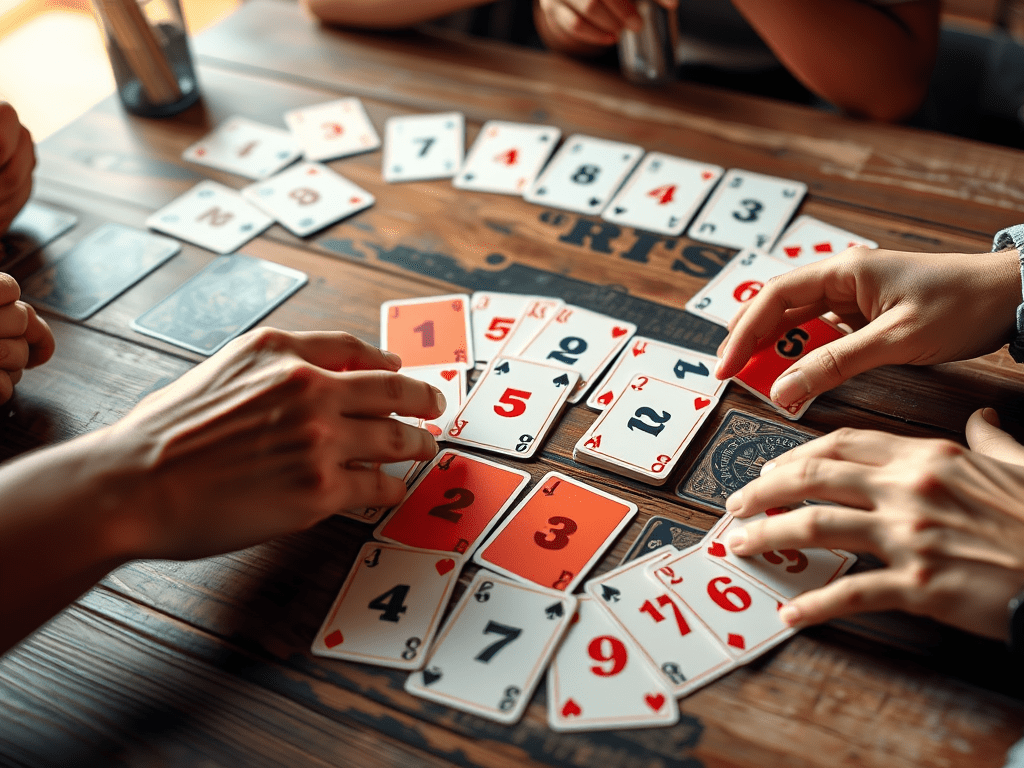
Bro N Sis, recognized as a card accumulation and shedding game, is played with numbered cards ranging from 2 to 14. It is also referred to as the Shit Head game, which serves as the basis for the system mechanics found in Bro N Sis. This game, titled Bro N Sis: Annoying Person, is a prototype designed for multiplayer engagement with players worldwide. Developed using the Unity Game Engine, it utilizes various services including Authentication, Cloud Save, Relay, Lobby, and more. The initial development phase involves crafting the user interface, mechanics, sprites, and other necessary elements, organized through a flowchart prior to development. The flowchart encompasses login, game initiation, lobby creation, joining a lobby, inviting players, and game commencement. Following this is the mechanics flowchart, which describes how the system distributes cards to all players involved. The automatic system also configures all players’ face-up and face-down cards when giving out cards. The system determines which player begins the game by checking the face-up cards for the lowest number, which is three.
If no player has a three face-up, it then checks their hands, incrementing the number until it identifies the lowest to establish the first player. Each player receives nine cards: three face-down, three face-up, and three in hand. After players have received their cards, both face-up and face-down cards can be viewed. Players have the option to swap their hand cards with the face-up cards before commencing the game. Once the swap cards are selected, they will transition to the current selected swap card. During their turn, players must choose which card to play from their hand before concluding their turn. Players can play up to four cards of the same number onto the pile. Once completed, this pile will eliminate all cards present, permitting the current player to continue playing another card. If there are no cards left in hand, players may then utilize the face-up cards; if no face-up cards remain, they can then play face-down cards. After playing matching cards from the piles, they can select another card available for their next move. In the standard card variation, the two card ranks as the highest number, allowing it to be played against any face-up number in the pile. This provides the current player an avenue to play their card when no alternatives are present. Another powerful card is the number ten; when played into the pile, it destroys all cards within, necessitating the player to shed another card.
Additionally, Bro N Sis presents a variation known as Chelsea Rules, which modifies the effects of the three and seven cards. The three card reverses the turn order; instead of proceeding clockwise, it alters to counterclockwise. However, during the counterclockwise phase, the turn shifts back to clockwise, resulting in a different player than usual making the next move. When a three card is positioned on the pile, it becomes semi-invisible, exposing the card behind it. The next player, who is actively playing, must play against the visible card behind the semi-invisible three. Conversely, players cannot play against the three card within the pile. As for the seven card under Chelsea Rules, when placed on the pile, it will terminate the current player’s turn. The succeeding player must play a card valued lower than seven onto the pile, which can be a seven, six, five, four, three, or two card. These cards can successfully play against the seven card variation. Should players find themselves with no useful cards, they must pick up all cards from the pile and augment their hand with these cards. This results in the player accumulating cards that have been played and not discarded.
Consequently, they will possess a full hand and must discard again into the pile. For face-up cards to be played, players need to discard all cards in hand before they can claim their face-up cards. Face-up cards can be discarded similarly to hand cards once played into the pile. When no face-up cards remain, they can then select face-down cards for play. To play a face-down card, players must randomly select one. Upon selection, the front of the card must be revealed before it can be played. If a card cannot be played against the current face-up card in the pile, the player must take it into their hand, thus ending the turn for another player. If any players exhaust all cards in hand, face-up, and face-down, these players will no longer compete with the remaining players. However, they may still observe the ongoing game until completion. The last player remaining in the game will earn the title of Shit Head. For the login process, players need to register on Unity Play before signing into the game. They will receive a randomly generated name, which can be modified in the main menu.
After changing the name, an additional random identifier will be appended at the end for identification among friends in the main menu scene. To add a friend, players must enter the friend’s name into the designated bar and click the add button. Current outgoing requests will be displayed in the interface for the player, while incoming friend requests will appear for other players. Any player can accept or reject friend requests. Once accepted, the new friend is automatically added to the list, visible on the current player’s screen. There is an option to message friends by clicking on their name in the friend list. When choosing to message, players may send any text after composing it and pressing the send button on the message panel. The message panel can also facilitate game invitations by the host using the current lobby code. Alternatively, players can invite others without sending a message by clicking invite next to a player’s name in the friend list. Upon receiving a friend request, the prompt will appear to either join the lobby or decline. Selecting to enter creates a lobby on the player’s screen, while declining will dismiss the prompt. On the lobby panel, players see others waiting for the game to commence. Once all players have joined and the lobby fills, they must click the ready button to confirm readiness, with a green button indicating readiness and a red button indicating unpreparedness to start.
The host is provided the option to set the maximum player limit up to six before hosting. At least two players are required for gameplay, expediting the game’s progression. Players can also change their screen size to small, medium, or high, as well as choose between windowed and fullscreen modes. Once selections are made, the game will adjust accordingly. Additional options are available for changing profile pictures within the game. Players must have an image on their hard drive, whether on Windows or Android. Once an image is selected, it will upload and update their profile, visible to other players during gameplay and in the lobby. There is also a customization panel for altering card designs within the game, allowing players to modify cards from two to the highest number. When a card’s image is changed, they can achieve improved graphics with their selected design. The back design of the card can also be altered within the customization panel. Customized cards can be used during games with friends or family. In-game, only the current player can view the card images after they have customized them in the panel. Players have the option to create multiple sets of cards in the customization panel under their name. Once created, they can change to any other image by either selecting from available images or uploading from their devices.
After the upload, those cards become part of the current set. Once configured, the system automatically saves these cards in either online or offline mode by converting images to string format for storage within their respective sets. Players can select any of their previously created sets on the game screen. The cards will automatically load once a player confirms their set choice. Moreover, players can save their game set and create new ones as needed, utilizing the available systems for management. Additionally, players will have a defined amount of space when saving online with their accounts. There exists an offline mode that requires no login credentials. In offline mode, players can host a lobby using an IP address and port system over a local network. The game performs and operates more efficiently than in online mode, but lacks certain features like friends, messaging, and invitations. Players must scan for active lobbies in the local network before they can join. They can also join by inputting the current IP address and port system in the designated entry bar. Some challenges I encountered while implementing multiplayer mode and creating the game mechanics for Bro N Sis, a shedding and accumulation card game, include:
- The cards does not getting remove after removing from the hands.
- The cards does not sorting properly in the ascending order at their hands.
- The front picture of the hand does not show especially after pick from the pile of cards.
- When rematching the game, the card present some errors like when giving the cards to all player.
- Player not being remove from the game when they actually disconnect themself due to issues like connectivity.
- On the variation chelsea rules of the game, the three number of card not being properly show the below card of them.
- Also, the three card not clearly destroy when sending four similar card on the pile of cards.
- The ten number of cards not ending the current player turn after destroying the pile of cards.
- The current player wrongfully reverse on the next turn.
- Player does not rematch when all of the player done press rematch.
This is some of my viewpoints during the development of game Bro N Sis accumulate and shedding card game. Those challenges has create me into more understanding of how to develop game more efficiently. I also known to improve myself on the role of networkings using netcode from the unity services. During those time, i had learn how to use authentications, cloud save, relay, player management, and others.


Available for freelance projects on Fiverr.