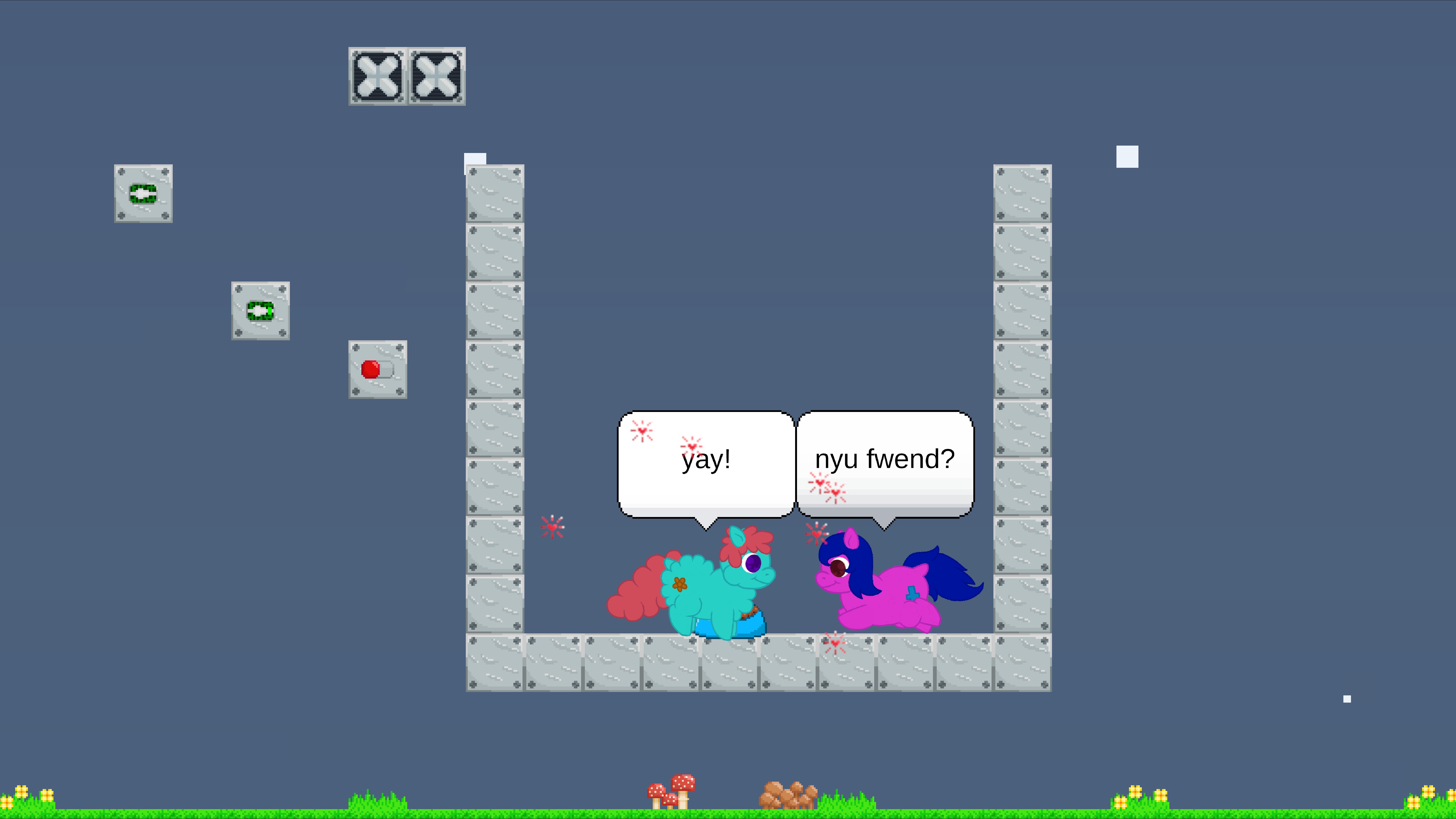
Casual Fluffy Farm (Edited)
December 2023 – January 2024


- Casual Fluffy Farm is an engaging 2-D game that utilizes artificial intelligence (AI) to immerse players in a unique farming adventure filled with adorable, fluffy creatures. Players navigate a vibrant, colorful map by moving in four directions: left, right, up, and down. To interact with these charming fluffies, players simply click the mouse, enabling them to drag and drop fluffies to different farming locations on the map. Each fluffy has distinct characteristics and benefits that require strategic placement and management, which is essential for optimizing the overall productivity of the farm. As players cultivate their land, they unlock new fluffies and expand their farming territory, discovering new challenges that enhance gameplay. These challenges create an immersive experience, keeping players engaged for hours. Additionally, players can share their farm accomplishments with friends, fostering a community of fellow fluffy farmers who exchange tips and strategies.
- Fluffies can be defeated for food by selecting the scissors icon, dropping food items for other fluffies to consume. For instance, using the scissors on certain fluffy bodies will transform them into food bars and energy for other fluffies. This process necessitates careful thought to ensure that dropped food items are utilized effectively, minimizing waste and maximizing nourishment for other creatures within the ecosystem. Moreover, understanding the nutritional value of each dropped food item can lead to a more efficient feeding strategy among fluffy animals, supporting not only the survival of the immediate fluffy community but also promoting a cycle of life that fosters interdependence among diverse species.
- Fluffy droppings can be collected as trash to clean the left side of the scene. It is crucial to maintain a tidy environment for a more enjoyable experience by selecting the garbage icon to efficiently clean up in the game.
- To remove splatters from fluffies, such as compost, slime, and energy, press the sponge icon, usually found in the upper toolbar. Then click on the affected tiles, ensuring all areas are covered thoroughly while allowing the cleaning solution to penetrate any stains for optimal results.
- The building menu presents an exciting array of tiles to explore! It includes everything from soft and hard walls to soft and hardwood floors, inverters, gates, fans, sensors, windows, prisons, and switches. Notably, items like the inverter can power your gates, fans, and sensors, making the building configuration process an engaging and creative experience!
- The business menu provides information for storing selected fluffies that can be sold in future versions of Casual Fluffy Farm. This menu displays fluffies’ colors, ages, and names, which can be stored and placed back into the gameplay world.
- The shop menu features a user-friendly interface for food and items. The food options include kibble, plants, meat, soup, and milk (added), along with growth crystals (added). Customers can select from a variety of flavored kibble, fresh green plants, and hearty meats for a more nourishing experience. The item menu offers a ball, bowl, and milk feeder (added), providing essential tools for taking care of fluffy friends and ensuring they have what they need for a happy, fulfilling life.
- I have introduced a save and load game feature alongside the main menu interface. The save and load functionality stores items like fluffies, foods, plants, weather, dialogue, food drops, and other items. The most significant challenge during bug fixes involved managing remnants and dropped parts, which caused multiple errors; however, I resolved these issues over time.
- Additional items include a milk feeder, growth crystals, remnants floor, splatter floor, and ground floor. I have smoothly developed and coded the functionality for these items.
- One of the notable bugs I addressed was the unusual size of newborn fluffies. Upon reviewing the code, I discovered that the scale value had been erroneously set to zero. Additionally, I took the initiative to organize the code by dividing the entire script into multiple scripts, each dedicated to a specific function. This thoughtful restructuring made the code much more readable while effectively reducing the total number of lines.
- The primary goal of this project is to create a new Casual Fluffy Farm after the original developer became unreachable, ensuring that we continue the vision and engage the eager community that has been following the development of this charming farm-themed experience.
- The tools I employ for game development are the Unity game engine and Visual Studio 2022. The Unity game engine offers vital tools such as user interface design capabilities, mono behavior scripting for game logic, various entities for representing game objects, advanced animation techniques for character movements, an animator for managing complex animations, and many other features that significantly boost the overall game development process, facilitating greater creativity and efficiency in crafting immersive gaming experiences.
New Casual Fluffy Farm (Recreate)
April 2024 – November 2024


- Upgrading to a new version of the Unity game engine provides improved performance and stability. The supported entities code is crafted to efficiently leverage all available CPU cores, creating jobs and schedules that optimize rendering and processing tasks, ultimately resulting in a smoother gameplay experience for users.
- Transitioning the user interface (UI) of the Unity engine to the UI Toolkit, which utilizes HTML and CSS for the website. Initially, I encountered challenges with integrating the Subscene using the UI Toolkit. In coding, I need to determine whether to implement it as a component class or a struct. The class approach appears to be more straightforward, resembling the legacy MonoBehaviour system that supports class inheritance. This shift is significant as it facilitates more flexible design patterns and cleaner code management, thereby streamlining the development process and enhancing collaboration among team members by making the codebase more understandable and maintainable in the long term. These advantages are essential for navigating the complexities of modern web applications while ensuring a seamless user experience.
- I confidently utilize the UI Toolkit to perform system updates, initializing variables within the class to optimize their use in the game’s user interface. This visual element adeptly manages show and hide functionalities using containers. Button clicks register specific buttons, ensuring they are unregistered upon exiting the scene or game to avoid memory overflow.
- Next, addressing the layout of sprites in the Subscene; the sprites representing the sun, moon, night, and rain need to be synchronized with the camera system’s MonoBehaviour. Additionally, I am implementing the Unity Input System instead of the older Unity Engine input. The solution involves using the entity’s code to establish values when operating the system struct while utilizing that component within the system foundation to facilitate camera movement accordingly. This is akin to the scale system for the weather mechanism whenever the player wishes to zoom in or out.
- Animating entities can pose challenges. The Blob asset reference is valuable for storing values needed later for animating the fluffy entity. To clarify, I will use an Enum to switch between idle and walking states and apply the blob asset values to transition and repeat the fluffy’s animation in the scene. Nevertheless, while the fluffy is animated, its collider remains visible in the game.
- I also encounter similar issues with the remnants and drop parts of Fluffy. Following Fluffy’s death, the remnant’s rotation consistently leans to the right instead of the left. The size of Fluffy’s remnant will always adjust, but its joint position does not remain consistent after resizing, mimicking a scaling from one to 0.4 in terms of precision float. This issue repeats after Fluffy is born; the size needs recalibration based on its new measurement after calculation. Typically, saving and loading the drop parts proves to be quite challenging. There are instances when the drop parts fail to spawn while other components do, and if they do spawn, the collisions at their joints often do not match the previous ones, freezing on the position axis. Ultimately, I resolved these issues by inputting values for all points after resizing the remnant and Fluffy, including adjustments for their joint positions.
- Regarding the collider aspects of Fluffy, such as the leg, ear, tail, wing, head, eye, and horn, these parts do not follow the animation’s position and rotation after changes are made or during Fluffy’s movement. To ensure proper hierarchy and movement synchronization, I created a parent for all parts of Fluffy. In the specific script for the Fluffy entity, I included the parent component, automatically designating the current entity as a child of the parent entity, thereby establishing a cohesive structure that facilitates seamless animation transitions. After rigorous testing, I noticed that the collider components now correctly follow the rotation and position of Fluffy’s animation whenever there are changes, creating a more engaging and visually coherent gameplay experience.
- The final step involves addressing the game’s crash issue. Initially, I believed I had fixed this by introducing a new function within the script. However, the script continued to loop through the same function, causing the crash to persist. In the older version, the crash did not occur while Fluffy was searching. I resolved this by commenting out the repetitive segments that led to Fluffy’s continuous searching. This modification restored the script’s functionality, allowing most functions, such as eating meat and normal behaviors, to operate as intended. Fluffy continues to seek food, drop items, and chase other fluffies when hunger levels rise.

Leave a comment