

What is Taking Damage in a Game?
Taking damage usually happens when the player collides with an enemy-associated game object. Enemies are usually dangerous or marked, red, and they appear in certain areas or zones. This happens in levels of the game that require the player, as the controller, to interact with enemy game objects. I believe that most video games have enemies or antagonists that react to certain events. One of these reactions is dealing damage, which reduces the player’s health from full. Eventually, the player’s health will reach a certain threshold that causes them to be destroyed or die.
Recap on the Last Tutorial
In the last tutorial, I talked about how to create enemy AI and a health system for the player. At that point, I hadn’t finished the player’s health system because I hadn’t created the enemy AI yet. The health system only updated certain UGUI elements, so nothing actually responded to it. Since the last tutorial, I’ve covered the enemy AI, and now I believe the player’s health system is ready to use. The only difference between the enemy AI and the player is their color: white for the player and red for the enemy. The enemy AI moves left and right to random squares between three and four units, and I plan to upgrade this behavior to make it much more functional.
What is the Health Slider Update
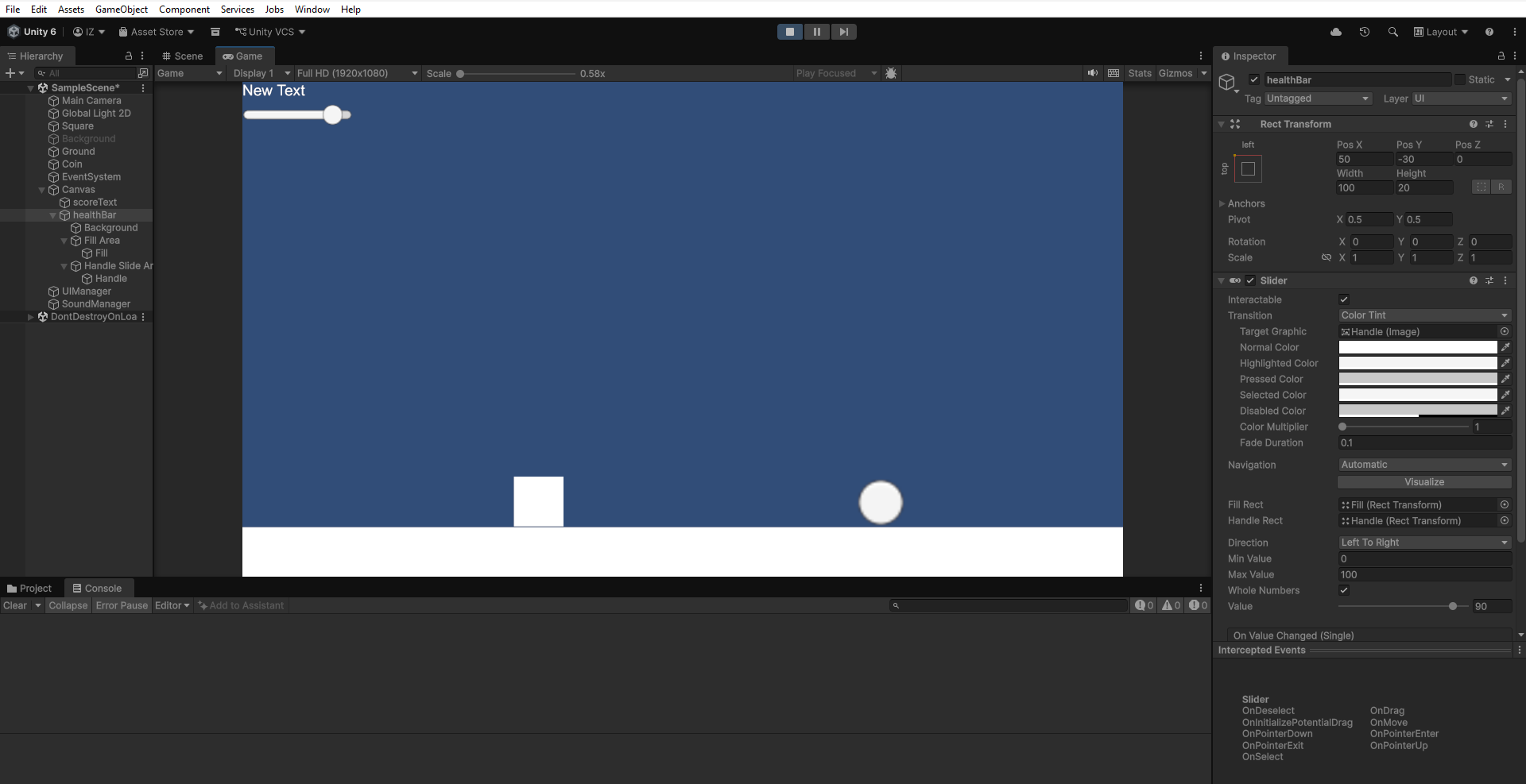
The health slider is the UGUI element that I previously added before I created or added enemy AI. At the time, I did not think to add enemy AI first, since I implemented it later. Updating the health slider requires coding or C# skills, which you can learn here. Most games in the past used UGUI,, which Unity now treats as the legacy UI system. The UI Toolkit is the newest system and also works best for web-based games. Without a health slider, the player does not know if their hit points are going to drop to zero or into the red. So adding some visual feedback for that is required in game development today, though developers can implement it using different methods.
How to Add Taking Damage Collision In Game?
Previously, I also mentioned collisions, especially on the coin game object, which, when triggered, add to the score. This interaction behaves similarly to the health system updating and taking collision damage. The difference is that the damage collision occurs with the enemy game object. The enemy needs its own variable, such as an integer called damage, which reduces the player’s hit points. I also need to add an integer variable, health, to the player so that these two values can be subtracted when they collide. So both the player and the enemy require their own health scripts.
Adding Both Taking Damage Respective Scripts
Selecting the game object like enemy then look at the inspector to find add component and scripts. You also can add component by pressing on the top tab of the Unity game engine. I rename the script for the player to “PlayerHealth” by pressing F2 on keyboard and enemy to “EnemyHealth”. After i adding the script, i open that out and it launch through the Visual Studio software. Now, navigate to the player script first especially on the top of the OnStart() routine. This is the place to add certain varible which usually private by default.
Adding Field Health Variable to Both Scripts
Use the integer variable name for the health variable in the field and set it to be exposed in the inspector as public. For health, set the default value to one hundred and the damage variable to ten. Then, on the Enemy script, there is a MonoBehaviour class that it currently inherits from. Change that to inherit from the Player class instead. This change gives the enemy variables similar to the player; only the name of the script changes. Set the enemy health value to ten and the damage value to ten as well.
Updating the Health of Player
Now to update enemy health, create a routine function for it. First, declare a routine named UpdateHealth(int newHealth) in the player health scripts with the integer parameter newHealth. Inside the script, set the current health variable equal to the newHealth parameter. Remember the health system where you added a routine in the UIManager script; now call that routine after you set the health. You can access the UIManager script singleton to call UpdateHealthBar(). Include the health value as the parameter after you finish those setups.

Taking Damage Routine
So how does it actually happen when the enemy and the player collide with each other and deal damage between them? I decided to destroy the enemy when it collides with the player by manipulating the health and damage variables. As I mentioned before, the collision between the enemy and the player character is similar to the coin. So, following that collision, I added a similar function, but instead of a trigger, I used OnCollisionEnter2D. This routine will collide with any object in the game based on the layer mask of the game object.
Adding Collision Enter on Enemy Script
Using the MonoBehaviour class which from the base class of the Player, add the OnCollisionEnter2D with their parameter Collision. Now, using the collision parameter for the checking collide with the player. Use the condition if statement for that and check the layer for “Player”. Inside those bracket condition, called the function of the PlayerHealth script. Use the collision to access the game object and use GetComponent method to find the PlayerHealth script. Also access the health of the PlayerHealth script to minus the enemy damage variable.
Reduce Health After Taking Damage
Once extract or minus between health of the player and damage of the enemy. Get the newHealth left from the damage to called function in the playerHealth. The function will be UpdateHealth with the new parameter newHealth. Now you can see that player health has been update by calling those routine from the enemy collision. The next also updated the UGUI in the game scene by calling UpdateHealthBar routine. This systematic update actually work accordingly with the writting of the script to make that happened. Not forgetting, the enemy also need to reduce their health with the player damage upon collision.
Automatic Check for Health
Next, i wanted the both game object for the player and enemy to be destroy when their health reaches zero. For that, i use the OnUpdate routine on MonoBehaviour class to check the current both health of player and enemy. I use the if statement condition to check the game objects current health has reaches zero or not. When they had reaches zero, i called the routine Destroy with their parameter of their own gameObject. That will resulting in the game object being destroy especially for the player and enemy. Now on the enemy script also similar with the player, you need to called override OnUpdate so that i follow the base class. For that, add the Public Virtual on the player routine OnUpdate().

Gameplay and Conclusion
Now, if you test the gameplay, the player and enemy will collide and trigger some events related to the routine. These events relate to what I mentioned above, which is the damage being dealt between them. This happens with collision events, not the trigger event that I used earlier on the coin game object. Also, the player’s health actually updates by decreasing when it touches the enemy. This happens because the damage variable reduces their health integer. However, the enemy here gets destroyed because its health is only ten and the player’s damage is ten. Thanks for stopping by and reading this page. Let me know what you think in the comments section.
I drafted this article from my own perspective and used AI to polish the language.
Concept art (created with generative AI, touched up manually).
Leave a Reply